
Connecting SKY PLAY TV box to your TV is a straightforward process. Here are the steps to follow:
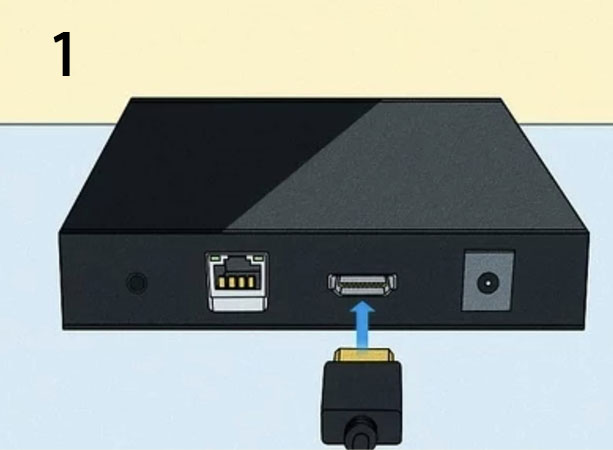
Locate the HDMI port on your SKY PLAY TV box and the HDMI port on your TV. Use an HDMI cable to connect the two ports. Make sure the cable is firmly plugged in on both ends.
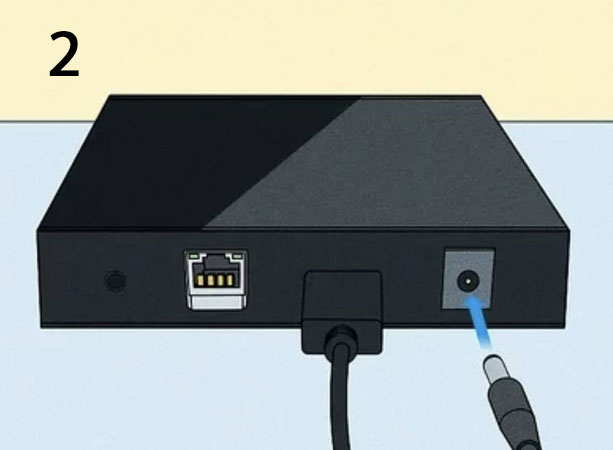
Locate the power port on your SKY PLAY TV box and connect the power adapter. Plug the power adapter into a power outlet to power on the TV box.
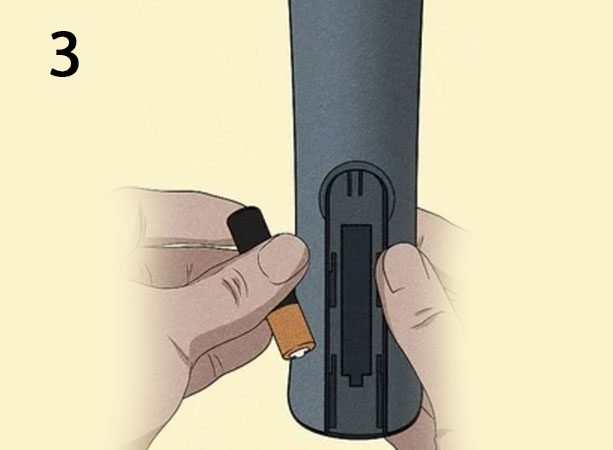
Once the power is connected, turn on the SKY PLAY TV box using the power button or remote control.
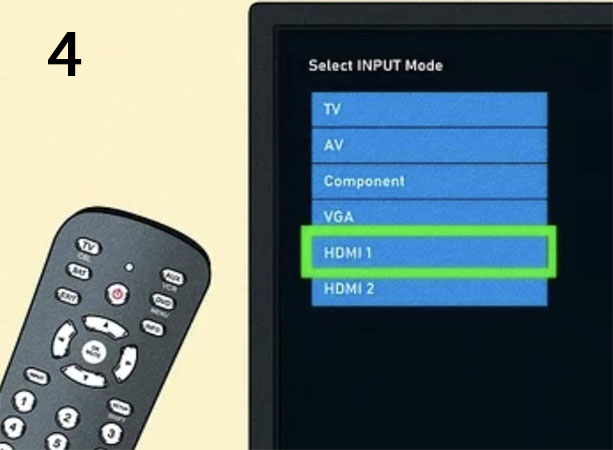
On your TV, use the input or source button to select the HDMI port where you connected the SKY PLAY TV box. This will display the SKY PLAY TV box’s user interface on your television screen.
Follow the on-screen instructions to set up the SKY PLAY TV box, including connecting it to your Wi-Fi network. You can also use a direct Ethernet cable (highly recommended) instead of a Wi-Fi connection if possible. Once the setup is complete, explore the different settings, Sky apps, and features available to tailor the experience to your liking.